Your favorites. One place.
Powered by yt-dlp, with dedicated parsers for Douyin and Kuaishou. Use public links online; availability depends on the source and access permissions.
- YouTube
- Bilibili
- X / Twitter
- TikTok
- Vimeo
- Douyin
- Kuaishou
 Keep Video

YOUR ONLINE VIDEO DOWNLOADER
Video, audio and subtitles, right in your browser.
Paste a link to get started. No installation needed.
Works in your browser · No installation
Also on desktop: macOS / Windows / Linux
01 / KEEP WHAT MOVES YOU
Archive your own work, save licensed material,
or get ready for your next offline study session.
Choose an available quality and save the video locally.
Save audio for listening and learning away from the screen.
Download available subtitles for reading and reference.
Quality, formats and site support depend on the source. Some content requires sign-in.
Start in your browser. Get more control on desktop. Choose the way that works for you.
Powered by yt-dlp, with dedicated parsers for Douyin and Kuaishou. Use public links online; availability depends on the source and access permissions.
Choose an available quality, save MP3 audio or SRT subtitles, and select from available YouTube audio tracks.
These features belong to the desktop app. The online tool cannot read local cookies or manage local tools and app updates.
Direct downloads use 8 connections by default, up to 16, with optional aria2c. Actual speed depends on your connection and the source.
Use your own browser session or import cookies.txt for content you can access. This does not bypass platform restrictions.
Reuse installed tools such as yt-dlp and FFmpeg, or download missing ones in a click. Node / Deno for YouTube still needs a separate installation.
Check this project’s GitHub Releases for new versions. Update in the app where supported, or open the downloads page for portable and other installs.
02 / LESS FRICTION. MORE FLOW.
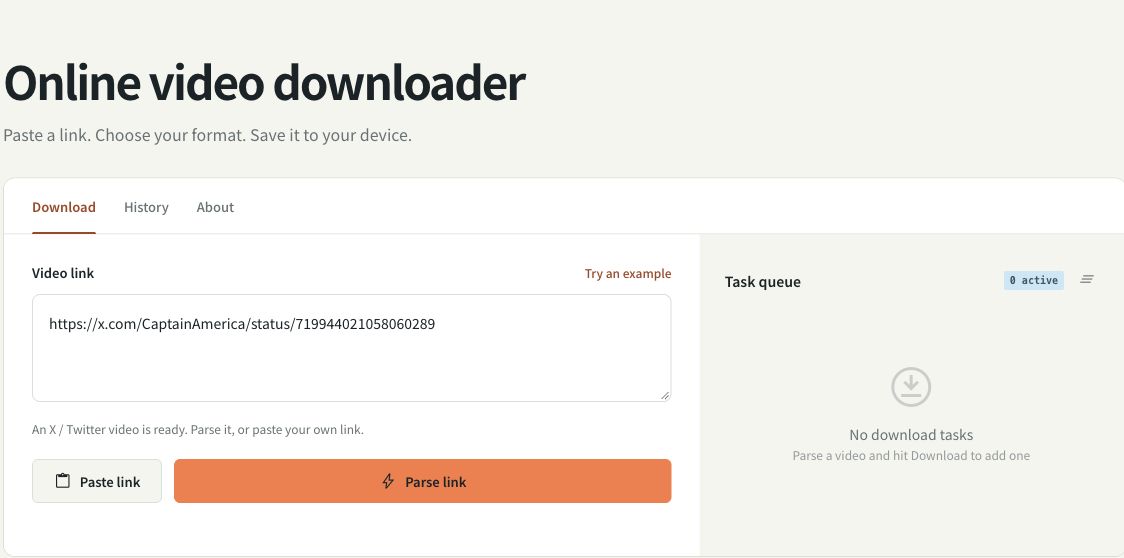
No app to install or runtime to set up. Parse a link online, choose a format, then save the result to your phone or computer.
03 / A GOOD PLACE TO START
Paste a public link to save video, audio and subtitles online without installation, or use the Keep Video desktop app on macOS, Windows or Linux.
Read guide ↗02 / AUDIO WORKFLOWSave an MP3 with audio-only mode in Keep Video. Understand FFmpeg conversion, source quality and what to check if conversion fails.
Read guide ↗03 / SUBTITLE WORKFLOWSave available subtitle tracks with Keep Video. Learn about subtitle mode, language availability, SRT timing and missing captions.
Read guide ↗GOOD QUESTIONS
No installation or account is required. The online tool is for public links that do not require sign-in. For sources needing your own login state, use the desktop app on your device.
Public content from X / Twitter, YouTube, Bilibili, TikTok, Instagram, Vimeo and other supported sites, plus direct media URLs. Platform rules, region and sign-in requirements affect availability; every link is not guaranteed to work.
The online tool processes files on the server before offering a download to your device. Task history belongs to this browser session. Files are temporary; retention depends on the site configuration.
KEEP YOUR NEXT FAVORITE.
Works in your browser · No installation
Also on desktop: macOS / Windows / Linux